Mastering Angular Lifecycle Hooks: Your Component's Journey from Birth to Beyond
A practical guide to Angular lifecycle hooks, when each one runs, and how to use them correctly in real projects.

Ashim Rudra Paul
Software Engineer
Mastering Angular Lifecycle Hooks: Your Component's Journey from Birth to Beyond
Hey Angular developers! Whether you're a seasoned pro or just diving into the world of components, you've probably heard of lifecycle hooks. But what exactly are they, and why should you care?
Think of an Angular component like a human being. It's born, it grows, it interacts with the world, and eventually, it's no longer needed. Lifecycle hooks are like the major milestones in that component's life — special moments where you, the developer, can step in and run your own code.
Understanding these hooks is key to writing efficient, bug-free, and well-structured Angular applications. Let's break them down.
Why Do We Even Need Lifecycle Hooks?
Imagine you have a component that displays user details. When should you fetch the user's data from your API?
- In the constructor? Maybe, but that's a bit early for Angular-specific setup.
- After the component's HTML is fully rendered? How would you know when that happens?
This is where hooks shine. They give you precise moments to execute code, ensuring it runs exactly when and where it needs to.
The Component's Life Story: Key Milestones
Let's walk through the most common and crucial lifecycle hooks, relating them to everyday development challenges.
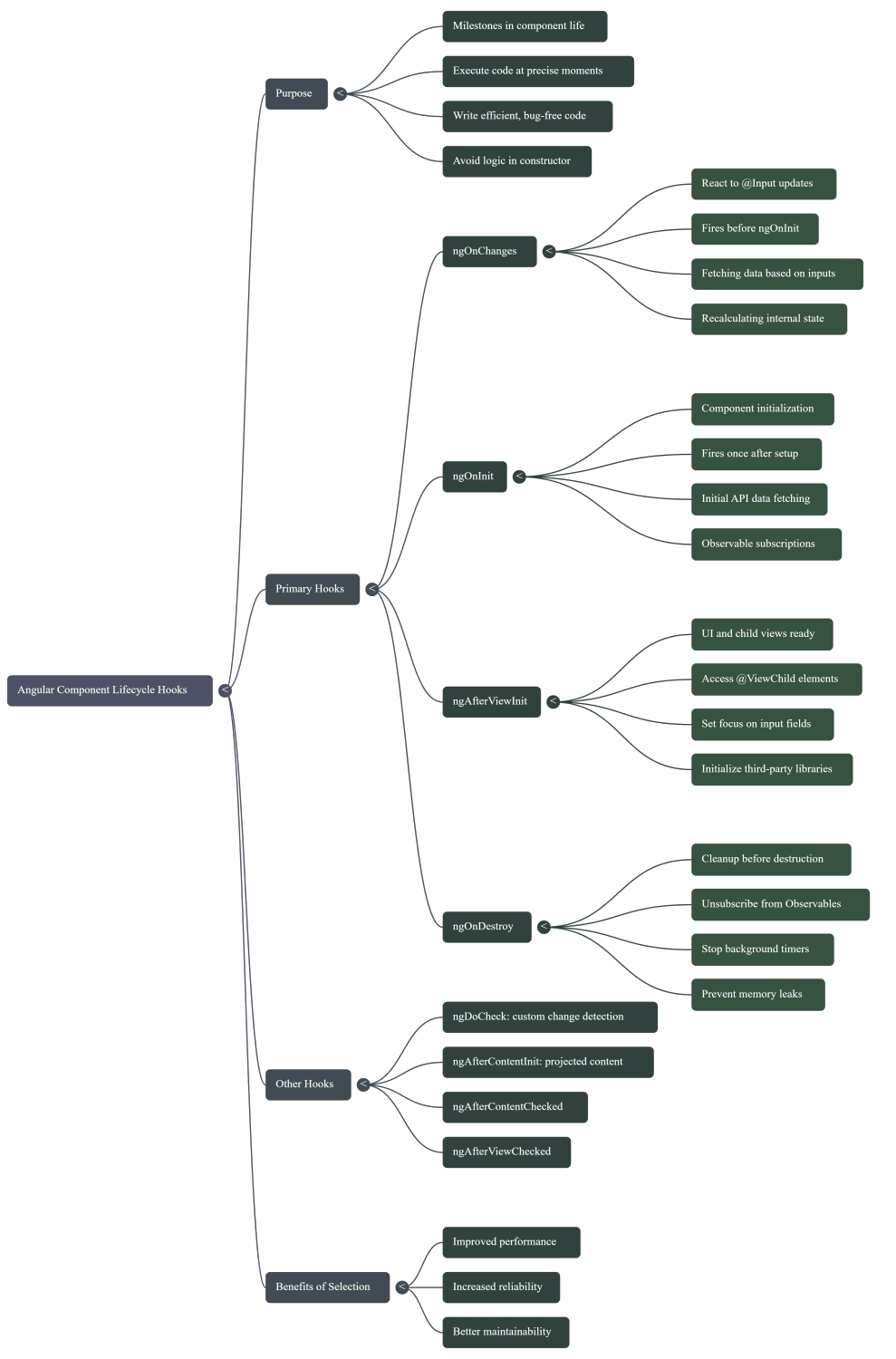
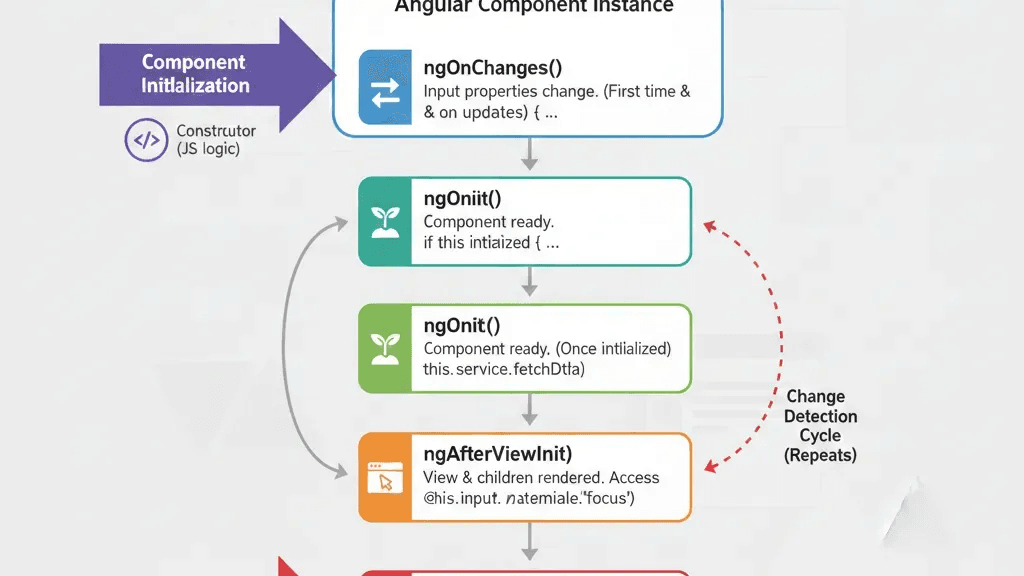
1) ngOnChanges(): The "Parent Gave Me Something New" Hook
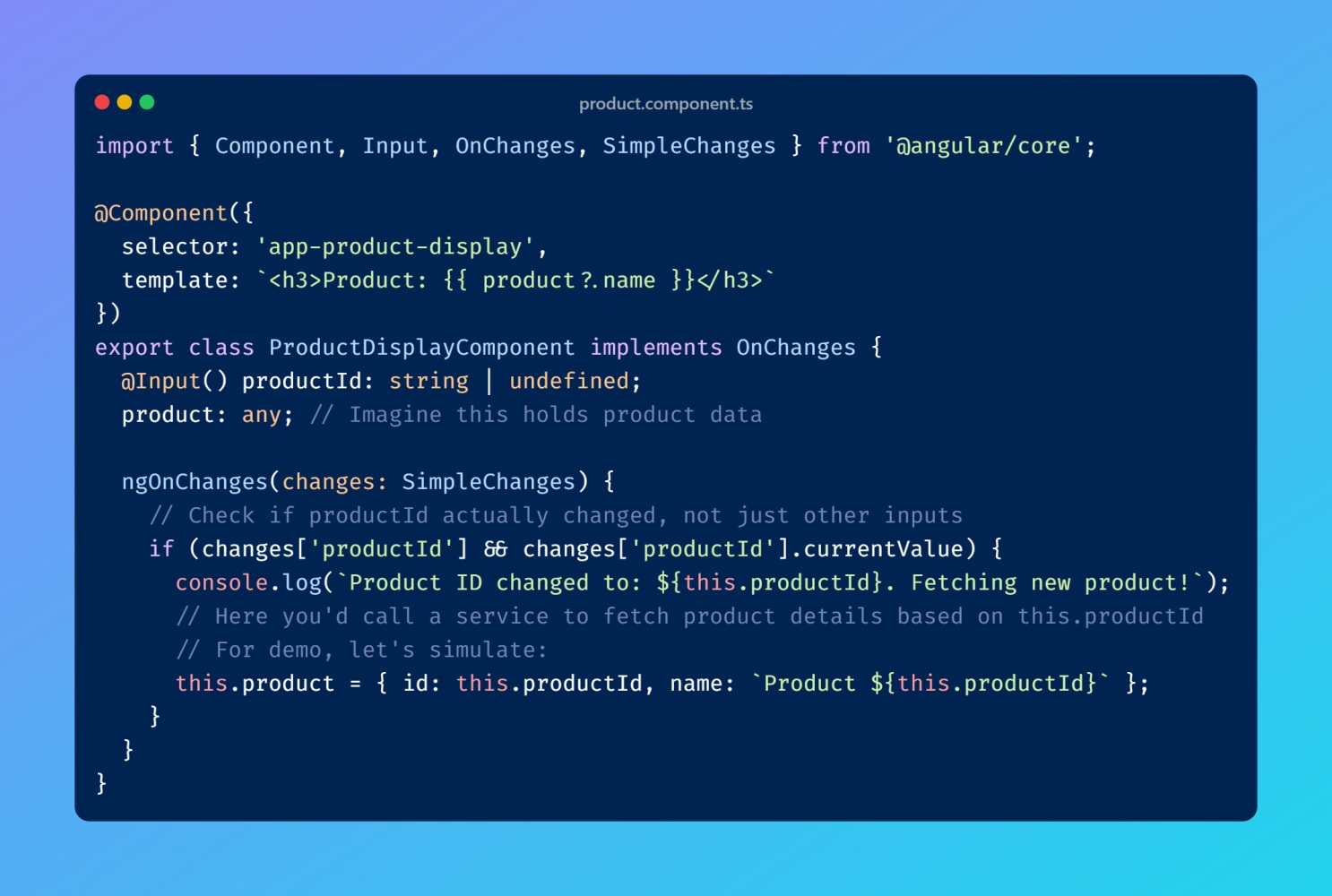
ngOnChanges() is your component's way of saying: "Hey, my parent component just updated one of my inputs!" It fires every time a property decorated with @Input() changes.
- When it fires: Before
ngOnInit()(for initial inputs) and then any time an@Input()receives a new value. - Your use case: "My
userIdinput just changed — I need to fetch new user data." This is the perfect place to react to parent-driven input changes.
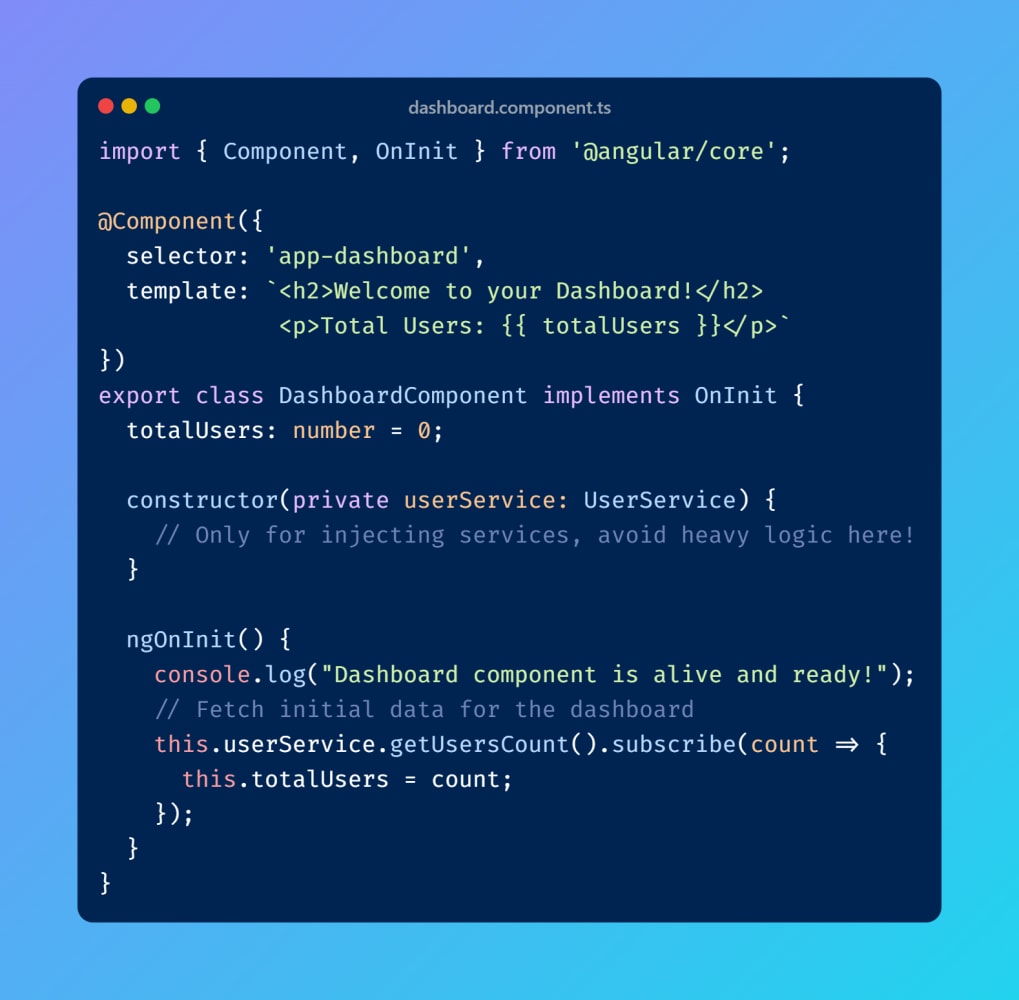
2) ngOnInit(): The "I'm Ready to Rock" Hook
This is arguably the most common hook. It fires once after ngOnChanges() has completed its initial run. Think of it as your component's official start point.
- When it fires: Once, after the component's initial setup.
- Your use case: "Time to load initial page data." Fetching API data, setting up subscriptions, and performing initialization logic.
- Pro tip: Use
ngOnInit()for Angular-specific initialization. The constructor should primarily be for dependency injection.
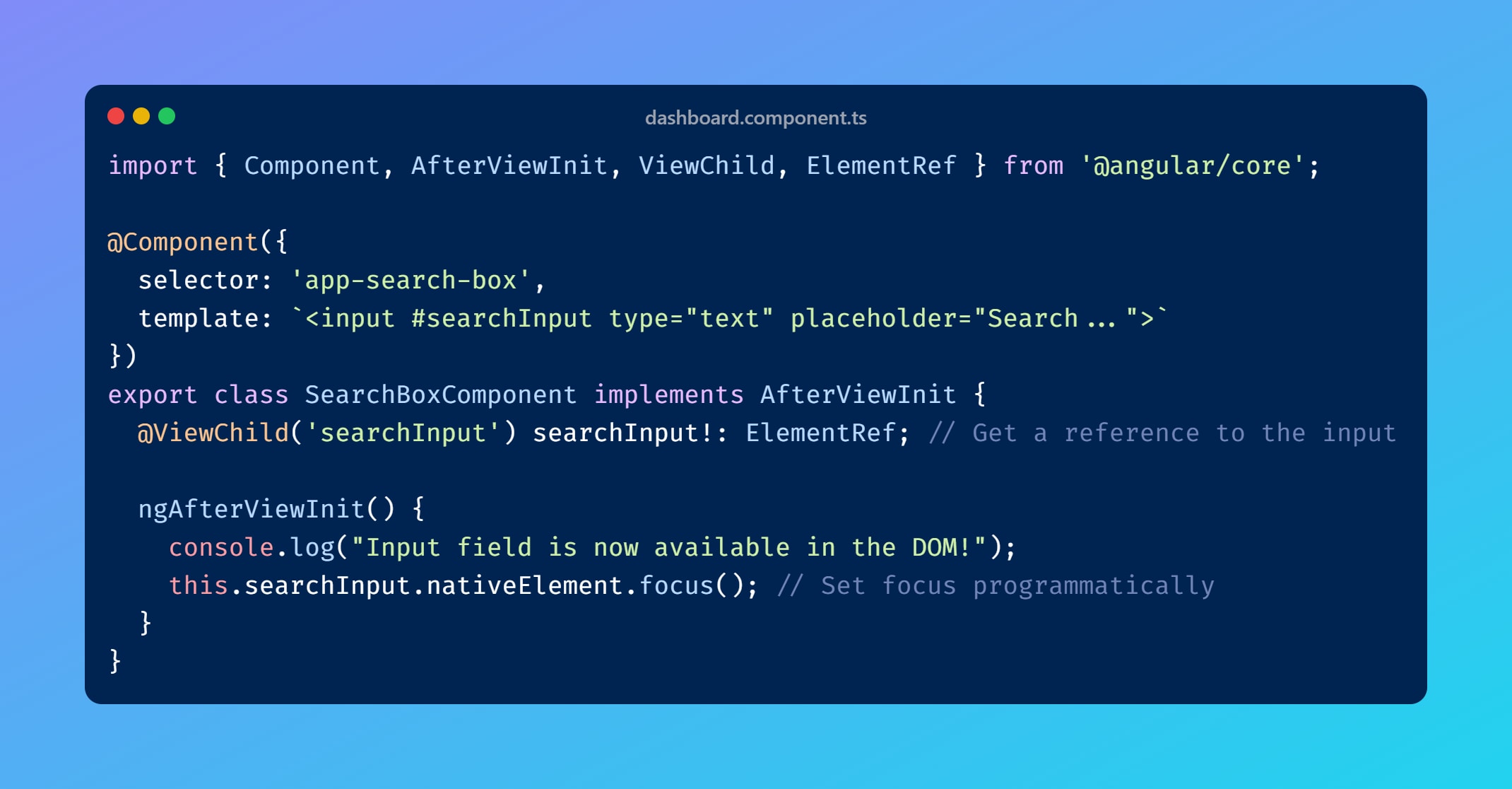
3) ngAfterViewInit(): The "My UI Is Finally Here" Hook
This hook fires after Angular has fully rendered your component's view and all child views. It's the first reliable moment to access template elements via @ViewChild.
- When it fires: Once, after view and child views are initialized.
- Your use case: Auto-focus an input, initialize a chart library, or attach a map widget that needs a real DOM element.
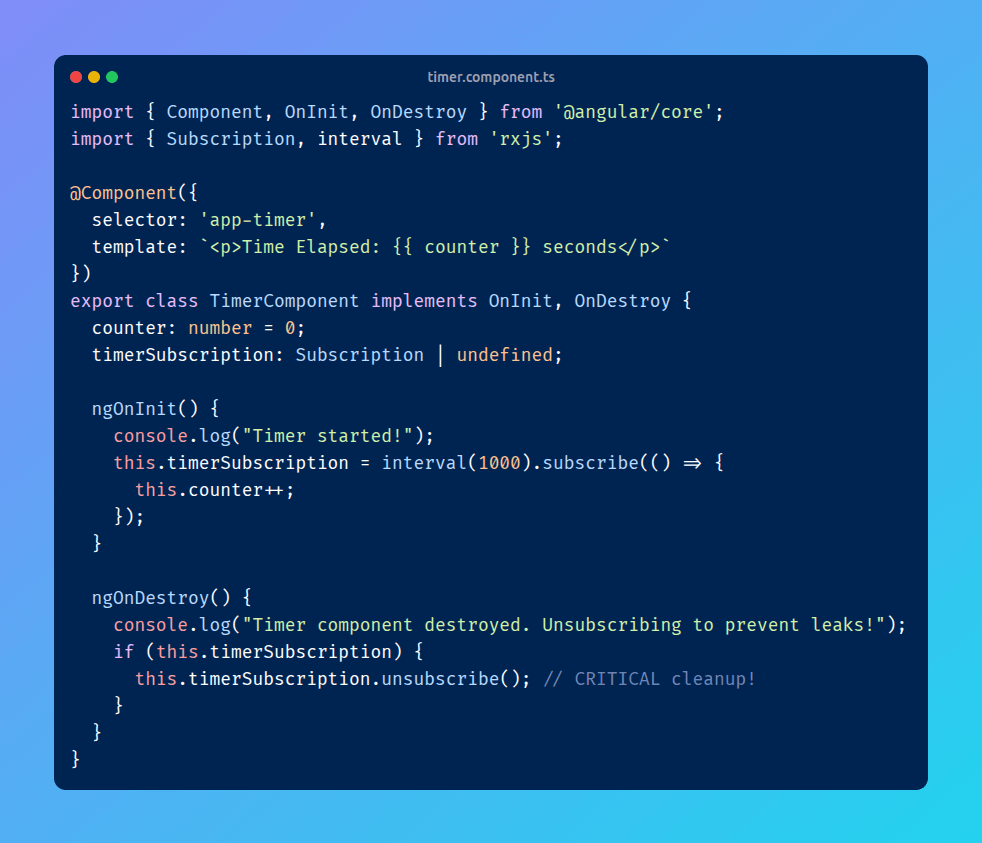
4) ngOnDestroy(): The "Cleanup Before Goodbye" Hook
This is the cleanup hook. ngOnDestroy() fires just before Angular destroys a component, such as on route change or when *ngIf becomes false.
- When it fires: Once, right before destruction.
- Your use case: Stop timers, unsubscribe from Observables, detach event listeners, and release resources.
- Why it's crucial: Missing cleanup can cause memory leaks and hard-to-debug behavior.
Other Hooks (Less Common, But Good to Know)
ngDoCheck(): Advanced, custom change detection whenngOnChanges()isn't enough. Use sparingly because it runs very frequently.ngAfterContentInit(): Runs after external content projected with<ng-content>is initialized.ngAfterContentChecked(): Runs after projected content is checked.ngAfterViewChecked(): Runs after component and child views are checked.
The Golden Rule: Use the Right Hook for the Job
Don't just pick any hook. Choosing the right lifecycle stage gives you:
- Performance: Code runs only when needed.
- Reliability: Data and DOM are available at the right time.
- Maintainability: Easier debugging and cleaner structure.
Summary for Every Dev
If you're struggling with undefined errors, you're likely using the wrong hook.
- Need data? Use
ngOnInit(). - Need the DOM? Use
ngAfterViewInit(). - Need to react to parent input changes? Use
ngOnChanges().
Mind Map